Skip to content

Schedule the Perfect Meeting

AskCody's Outlook Add-ins let you find the right room, order the right services, and register your visitors, all from the same meeting invitation.
No extra tools, no extra logins, no extra steps.
  

︎  WATCH VIDEO

Screenshot 2026-03-13 at 14.59.06
AskCody + Microsoft = Better meetings

AskCody's Outlook Add-ins help you do more than just find a room

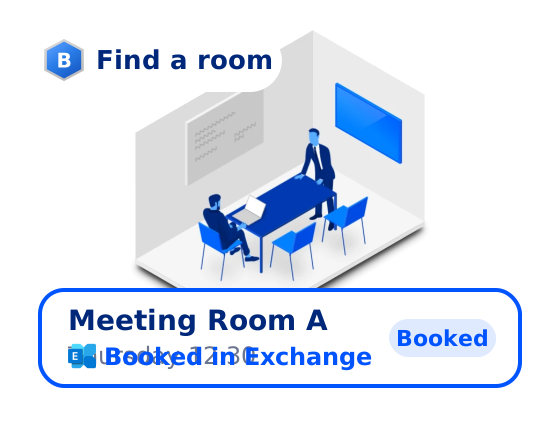
Find the right room

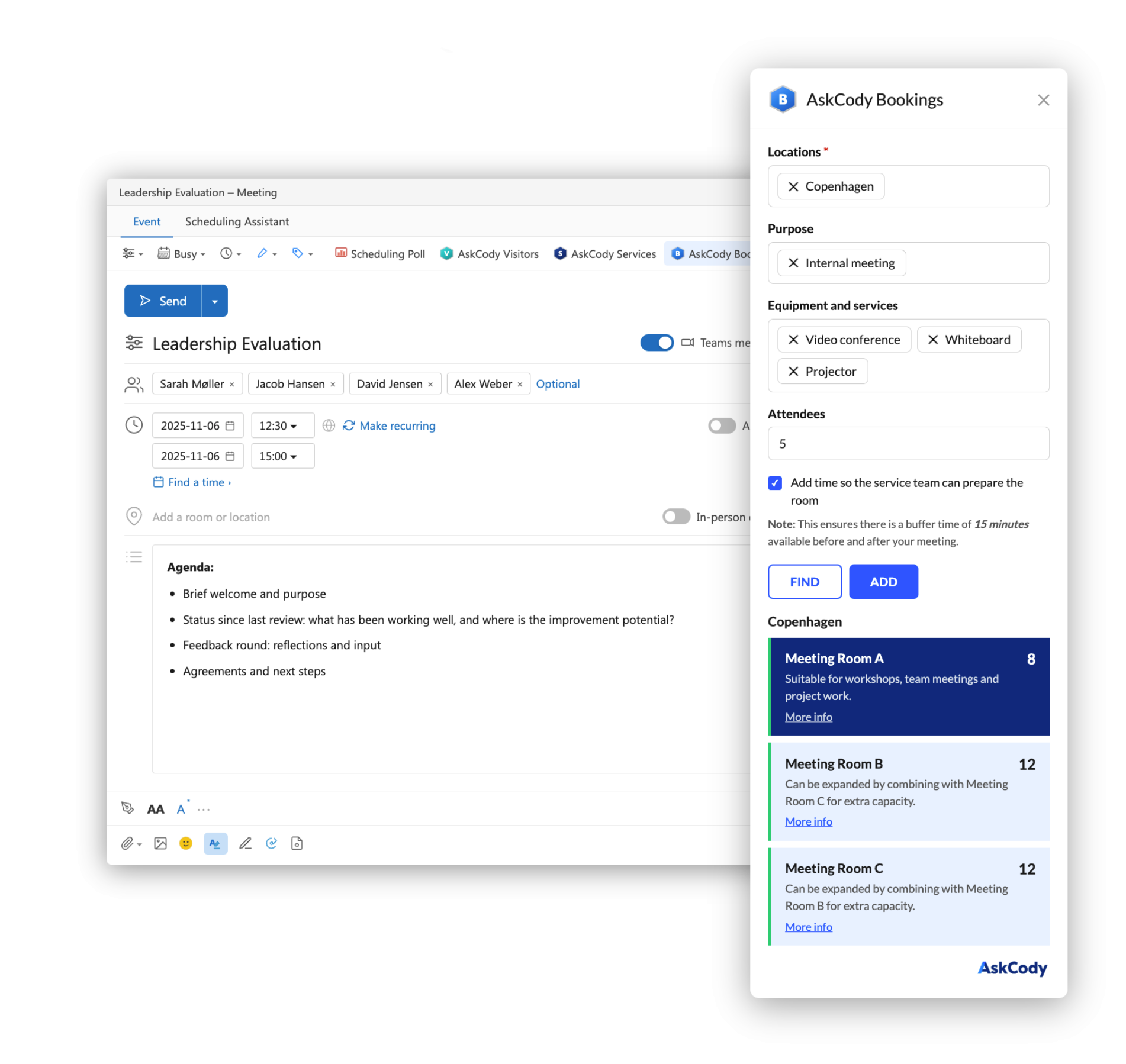
Search for meeting rooms, desks, equipment, or workstations across multiple locations and time zones. Filter by purpose, capacity, and in-room equipment.

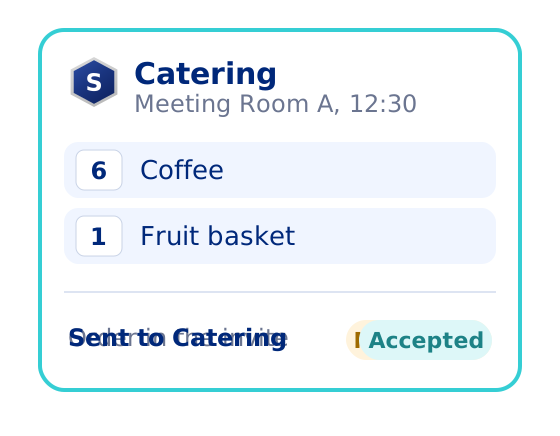
Order meeting services

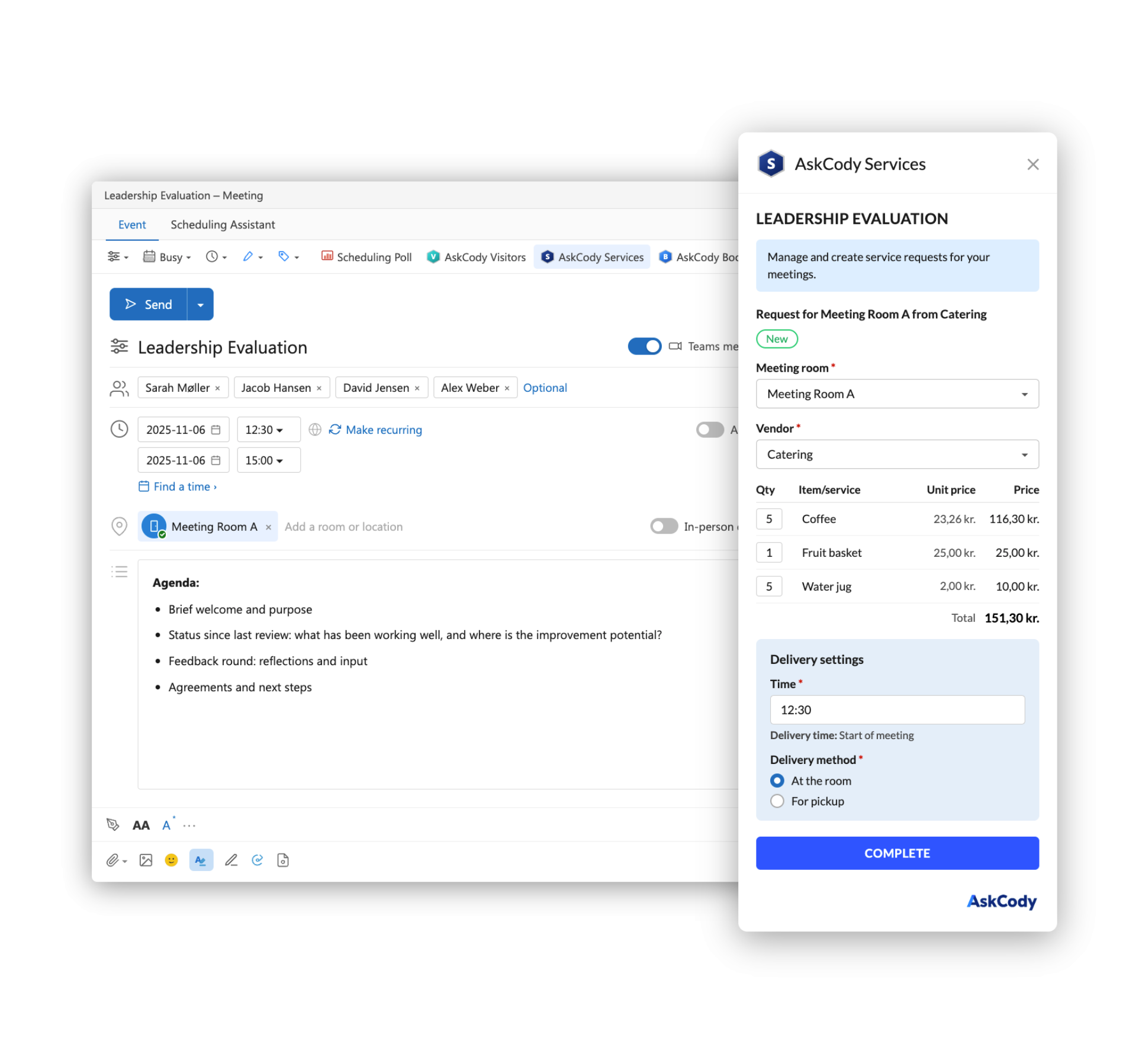
Like a web shop for meetings, inside Outlook. Add catering, room setups, AV equipment, and other supplies directly from the meeting invitation.

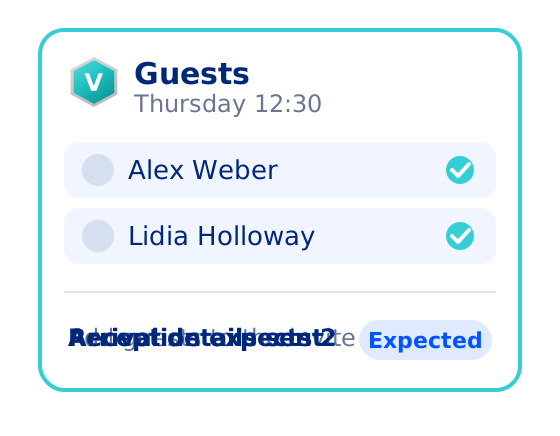
Register visitors
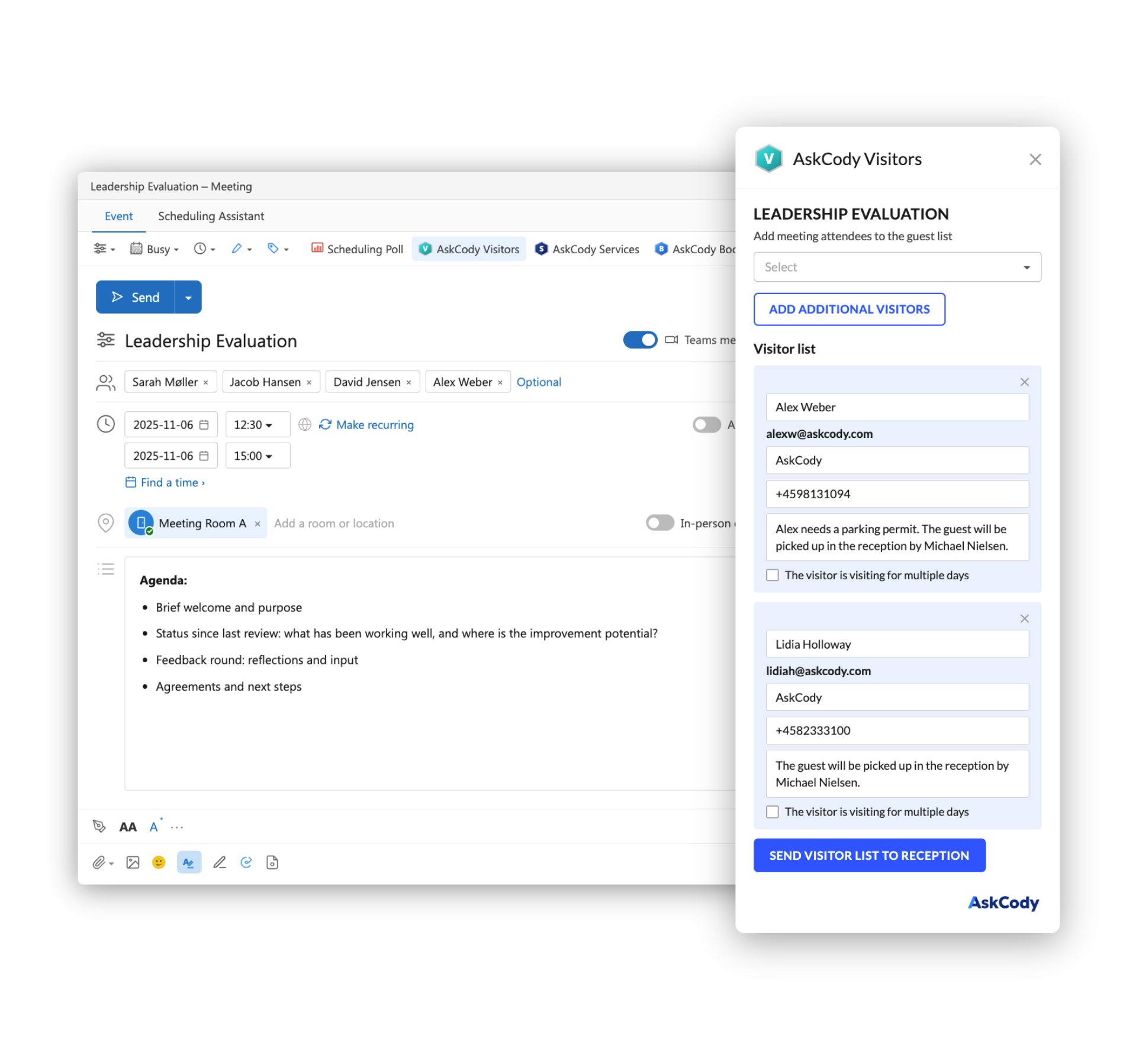
Pre-register external guests at reception, add arrival notes, and set up notifications so the right people know when visitors check in.
Always in sync
Every room booking, service order, and visitor registration is intelligently linked to the meeting, and stays linked when things change.
1-Mar-13-2026-01-51-01-8067-PM
Book with ease

Find and book the right room for your meeting in Outlook

Access the Bookings add-in directly from your Outlook toolbar and search across buildings, floors, and locations. Filter by capacity, equipment, purpose, or available services to find the room that fits your meeting, and not just one that's free.

See real-time availability before you book. Know who has the room if it's occupied and when it will be released. 

All of it works across time zones, so booking a room in another city is just as easy as booking one down the hall.

Add what your meeting needs

Order catering and services without leaving Outlook

Once you have your room, the Services add-in lets you request everything else your meeting needs. Browse available catering options, room configurations, AV equipment, and other services, all tailored to the room you've booked and the service providers at that location.

Add items, submit the order, and the right facilities or hospitality team receives it instantly. No separate ordering systems, no email chains, and no guesswork about what's available where. It's like having a service catalog for your workplace, built right into Outlook.

2-Mar-16-2026-07-52-23-1481-AM
AskCody Visitors Add-in for Outlook
Register visitors

Pre-register guests and notify reception from Outlook

AskCody automatically identifies external guests from the meeting invite. Through the Visitors add-in, hosts can notify reception ahead of arrival and trigger customizable email and SMS reminders with directions, parking instructions, and anything else guests need to know.

When visitors arrive, the host is notified, and reception is ready to welcome them by name. No paper check-in lists. No GDPR headaches. No misspelled name tags.

Everything flows from the same meeting invitation used to book the room and order catering. Your front desk stays in control and your guests get a polished experience.


Built-in intelligence

Everything follows the meeting

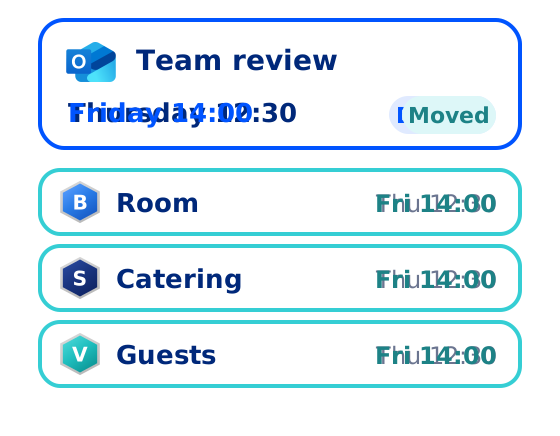
Follow-the-Meeting Intelligence is the connective logic that keeps everything tied to a meeting as it changes. When a meeting is created, the room, services, and visitor details are all linked to it automatically. No manual tracking, no duplicate entries, no scattered records.

When the meeting changes, everything changes with it. Move it, and catering moves too. Cancel it, and catering is cancelled. If the time or location shifts, visitor invites and arrival details update accordingly.

This is not a feature added on top of AskCody. It is the foundation the product is built on, and the reason the experience holds together from the first booking to the last guest out the door.


Integrations_Teams_2
One click to join

Seamless integration with Teams, Webex, and Zoom

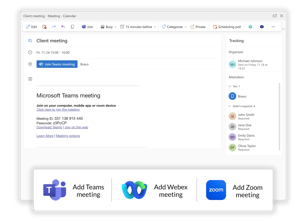
AskCody works where your meetings already live, so adding a Teams or Zoom link is as natural as booking the room. Select video conferencing when setting up your meeting, and the link is added to the invite automatically. At the same time, the room's Teams or Skype Room System equipment is activated and ready to join the moment the meeting starts.

Whether you're joining from the room, a laptop, or your phone, everything you need is already in the invitation.

Check how AskCody integrates with Microsoft Teams 

Form_graphic_2

“A Wonderful Upgrade to our Room Reservation System!"

I LOVE that AskCody is integrated with Outlook. It makes reserving, editing and canceling reservations so quick and easy. The interface is very easy to use and is so customizable to our needs. I love that we can make it our own and customize our rooms, vendors, and services from the Admin side"

Shayla Moore
Shaley MTraining coordinator

"Quality room management system with quality people supporting it"

I give AskCody 10/10. It is a phenomenal solution. Easy to implement. It's easy to train on, and it is easy to use. We use AskCody to allow our population to easily and confidently book rooms across all our offices, giving them the ability to do it themselves. Kind of removing the middle person"

Lucas-(Luke)-Schnoebelen-sorthvidtransperant-1
Luke SManager, Learning and Development

"We needed a standardized system that was easy for people to use

and that could automate the current processes. With AskCody, employees can now book rooms and request services themselves, and it gives them a kind of self-service aspect where they can take control of their own meetings."

Anthony_300x300px
AnthonyIT Director

"Our goal was to find a partner,

who can hear our concerns, understand our requirements, support us in our project, and then provide a solution that best fits Olympus. With AskCody (...) it is not only a business arrangement it is a partnership."
Nora_300x300px
NoraProject Manager

Common questions about the AskCody Add-ins for Outlook and Teams

What are all three AskCody Add-ins? AskCody provides three modern add-ins for Outlook that help you manage the full meeting experience: Bookings helps you find and reserve rooms, desks, and workstations across multiple locations and time zones. Services lets you order catering, equipment, table arrangements, and other meeting services like a web shop inside Outlook. Visitors lets you pre-register external guests at reception as part of the meeting invite. All three are connected through AskCody's Follow-the-Meeting Intelligence, so everything stays in sync with the meeting.
What happens when I reschedule or cancel a meeting? This is where Follow-the-Meeting Intelligence really shines. When you move a meeting in Outlook, we do the heavy lifting for you: the room booking updates, the catering order shifts, and the visitor arrival details adjust accordingly. Cancel the meeting, and everything is released and cancelled too. No manual follow-up, no chasing service providers, no forgetting to update reception.
How do users search for rooms resources?

AskCody Booking helps you search for all types of resources like rooms, workstations, desks or other. Users can choose from many search criteria:

  • By location

  • Purpose of a meeting, e.g. video conference, sales, board meeting or external visitor

  • Equipment, e.g. a whiteboard, projector, Cisco conference phone, presentation screen, or built-in speakers

  • Services, e.g. catering available, chair setups, AV services, or recording

  • Capacity

Learn more about adding equipment and services to AskCody Booking in our support center.

Can I control who is able to book rooms?

Yes, you can support a decentralized room booking process with AskCody. Some users can request rooms while others are empowered to confirm or cancel their requests. And with Resource Groups, AskCody customers can implement their booking policies with flexibility and ease, making sure that users will only be able to see what they are allowed to book. We call it "What-you-see-is-what-you-book".

Learn more in this support article.

Can I search just in my location, country or floor? Yes, AskCody Meeting room booking software supports custom groups, including grouping rooms by floor, amenity, preference, or internal business logic.
Are external users able to book rooms?

You're in control! So yes, if you choose to allow it.

AskCody Meeting room booking software supports two different methods of enabling external booking.

What about hot desking and office hoteling? AskCody Meeting room booking software also offers full support for finding and booking hot desks, workstations, and other resource types. All rooms, desks, workstations etc. are loaded into our system as resources calendars from Microsoft Exchange.


Can you book resources on behalf of someone else?

Yes, with delegated access or shared access to calendars as configured in Microsoft Outlook.

Delegated Access gives access to the entire account, including calendars and email.

Shared Access gives access to calendars (i.e. can't send emails on behalf of other people).

Which languages does AskCody support?

The AskCody Platform is available in major languages of your choice.

  • English
  • German
  • French
  • Spanish
  • Dutch
  • Norwegian
  • Swedish
  • Danish
  • Finnish
  • Italian
  • Japanese

We would love to show you AskCody

Understand how we can help you in your organizational needs