
.svg)

Built on, with, and for tech you trust
Microsoft Azure, Microsoft 365 and modern add-ins for Outlook.


Recognized by analysts
Named a market-leading vendor in the Meeting Management category.
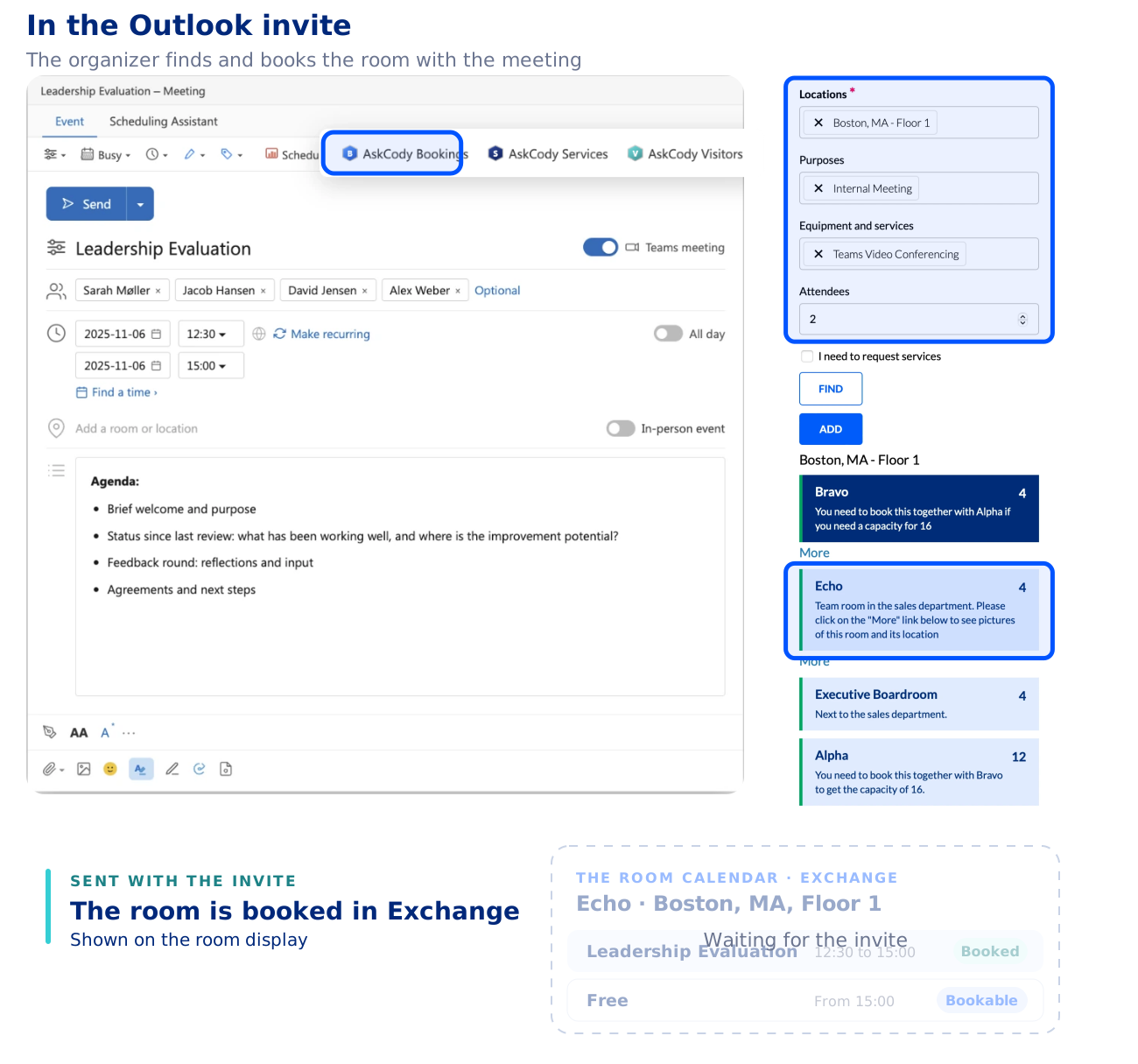
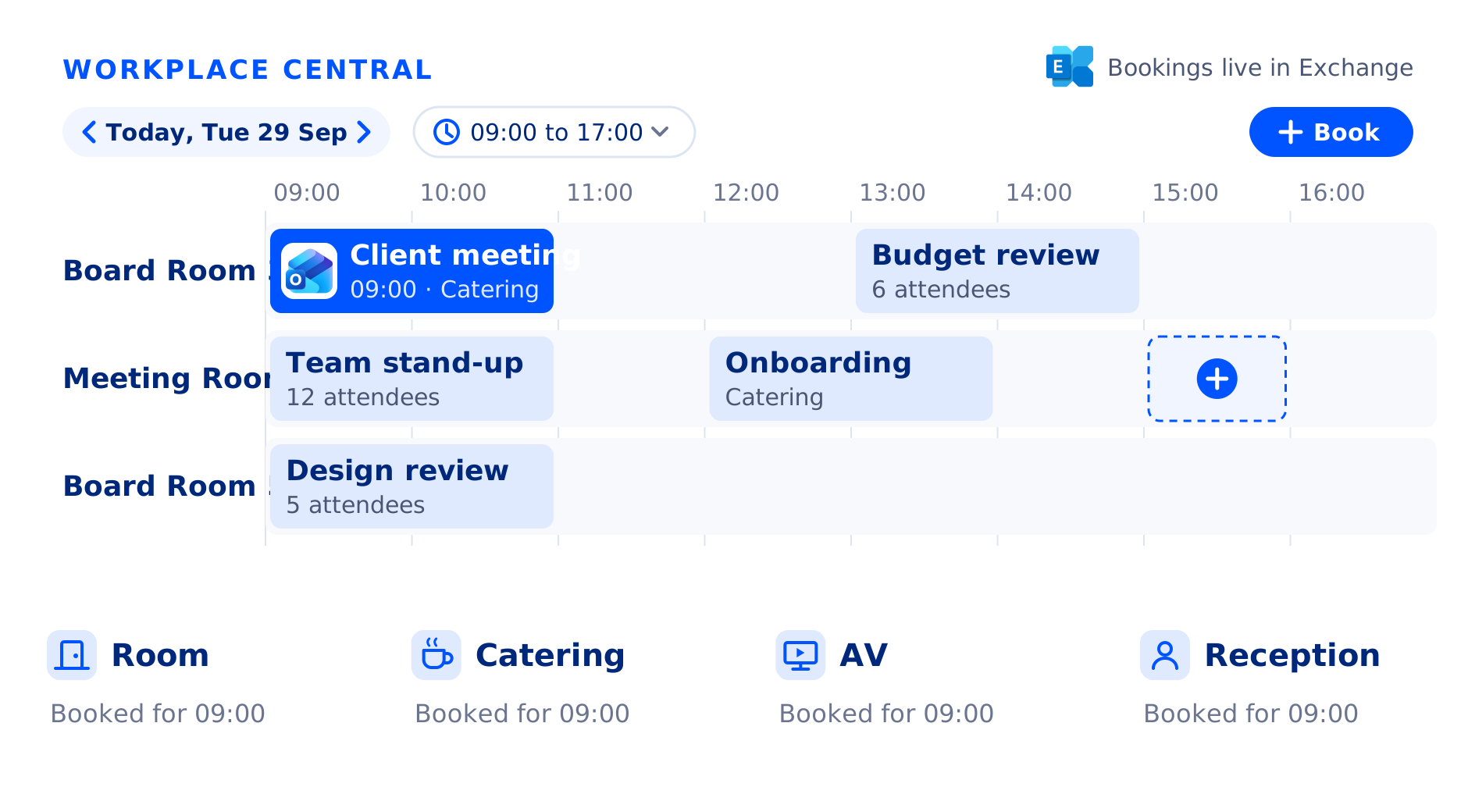
Book the right room in the Outlook invite
Open the meeting in Outlook and choose the AskCody Bookings add-in. Pick the location, the purpose of the meeting and the equipment you need. The number of attendees comes from your invitees, so you only see rooms that fit. The room is booked in its room calendar in Microsoft Exchange, so Outlook, the room displays and AskCody Maps all show the same booking.
At the door, the room display shows who has the room. With check-in switched on, a room nobody confirms is released for others to book.
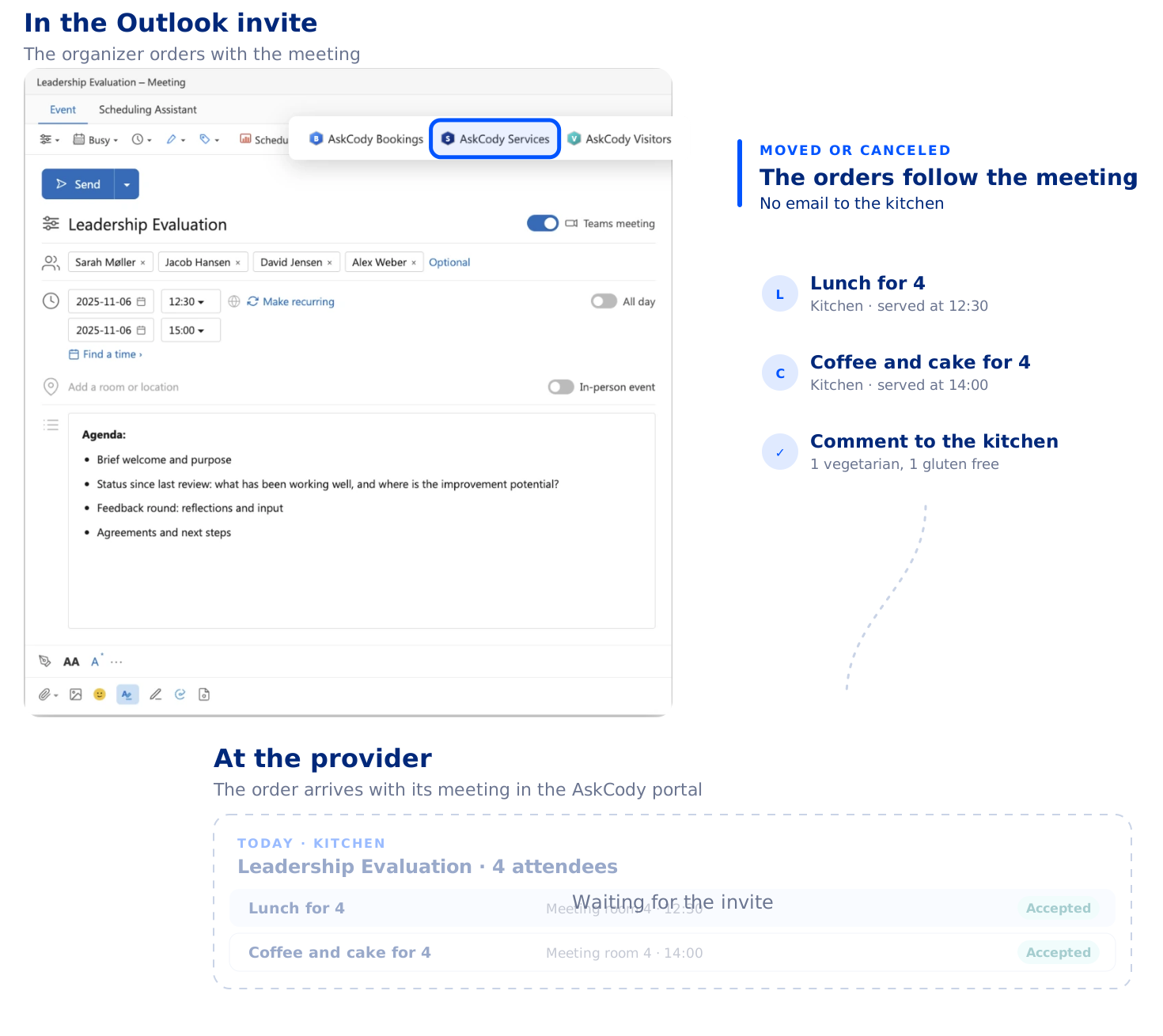
Order catering, room setup and AV in the same invite
Choose the AskCody Services add-in in the same Outlook invite to order breakfast, lunch or coffee from your kitchen or caterer, and room setup or AV support from your facilities team. Set when each order should arrive: before, during or after the meeting.
Kitchens and service teams see every order with its meeting, room and time in the AskCody Services Management Portal, and accept or reject it. Every order respects the preparation deadlines and opening days you set per provider.
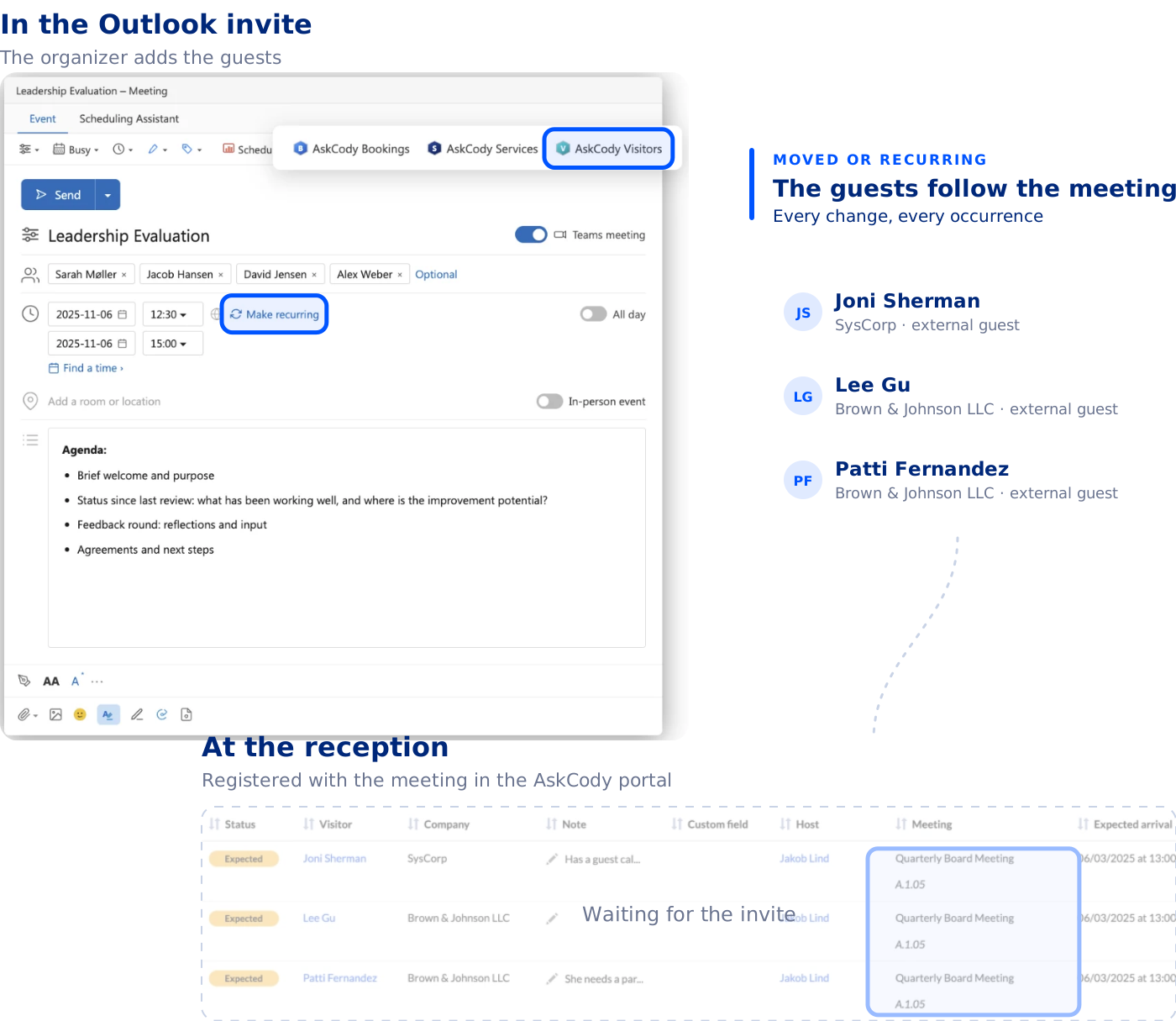
Register guests in the invite, welcome them at reception
Add your guests’ names and email addresses in the Outlook invite with the AskCody Visitors add-in. They are registered with the right reception and linked to the meeting, the room and the catering.
Reception sees every expected guest with their host, meeting and room in one real-time overview. The host is notified when the guest checks in, and the visitor data is anonymized automatically afterwards.
Book desks in Outlook or on the floor plan
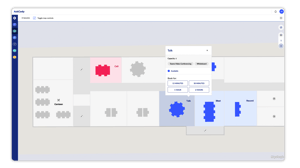
Book a desk in Outlook for the day you come in, on your computer, on the web or in Outlook for iOS and Android. Or open AskCody Maps, the interactive floor plan, where available spaces are blue and occupied ones red, and book a desk or a meeting room straight from the map. The booking is saved in AskCody Maps and in your Outlook calendar at the same time.
Desks have their own capacity, so a shared desk area is never booked by more people than it seats.
See how your rooms, services and visitors are used
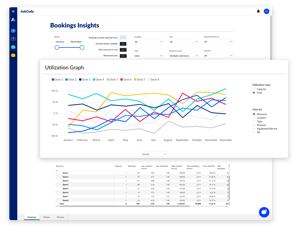
AskCody Insights is built on Microsoft Power BI and uses the booking data in Microsoft Exchange, with personal data removed. See room and desk utilization by location and room type, how much catering, setup and AV your teams deliver, and when your reception is busiest. Plan your space from what meetings actually need, not from a gut feeling.

Every request for a room, under one roof
“The fact that admins can manage each reservation for a room and each request that is needed for that event or meeting all under one roof really helped a lot with organizing... Everyone gets it, and we don’t have to have five or six different emails going back and forth for each meeting.”

Catering, setup, AV and visitors together
“I don’t believe the other vendors can do the catering, the room setup, and AV requests as well as the visitor management piece altogether as seamlessly. Also, what we found was the AskCody user experience was just slicker.”

Rooms and catering in one overview
“AskCody’s platform gives us an easy overview of available rooms, as well as quick access to book catering for our meetings. Without AskCody, booking premises is ineffective, which results in a large waste of resources.”

Simple was the measure of success
“The user pathway was our main concern to address. The easy and simple process to find the needed meeting room, book it, request services, and manage visitors has been our main success criterion.”

Ten bookers used to mean ten ways to book
“Ten different people booking a meeting resulted in ten different ways of creating a meeting, and everything that goes with it... With AskCody employees can now book rooms and request services themselves, and it gives them a kind of self-service aspect where they can take control of their own meetings.”

One platform across 150 locations
“Our vision was to tailor the entire workflow for the individual employee. We now plan everything in AskCody. It is extremely easy for the individual employee to book meetings... In this way, we make the most of all resources across our 150 locations.”
AskCody has already transformed meeting management for hundreds of thousands of users
Want to see how easy it was for them? Talk to a consultant to learn more.
Our consultants are here to guide you every step of the way. During your session, they will:
- Explore your unique challenges and understand your needs.
- Demonstrate how our products and services can benefit you and your organization.
- Answer all your questions, so you feel confident moving forward.
Fill out the form to schedule a conversation at your convenience.
