
.svg)
AskCody alternatives: 17 meeting room booking tools compared
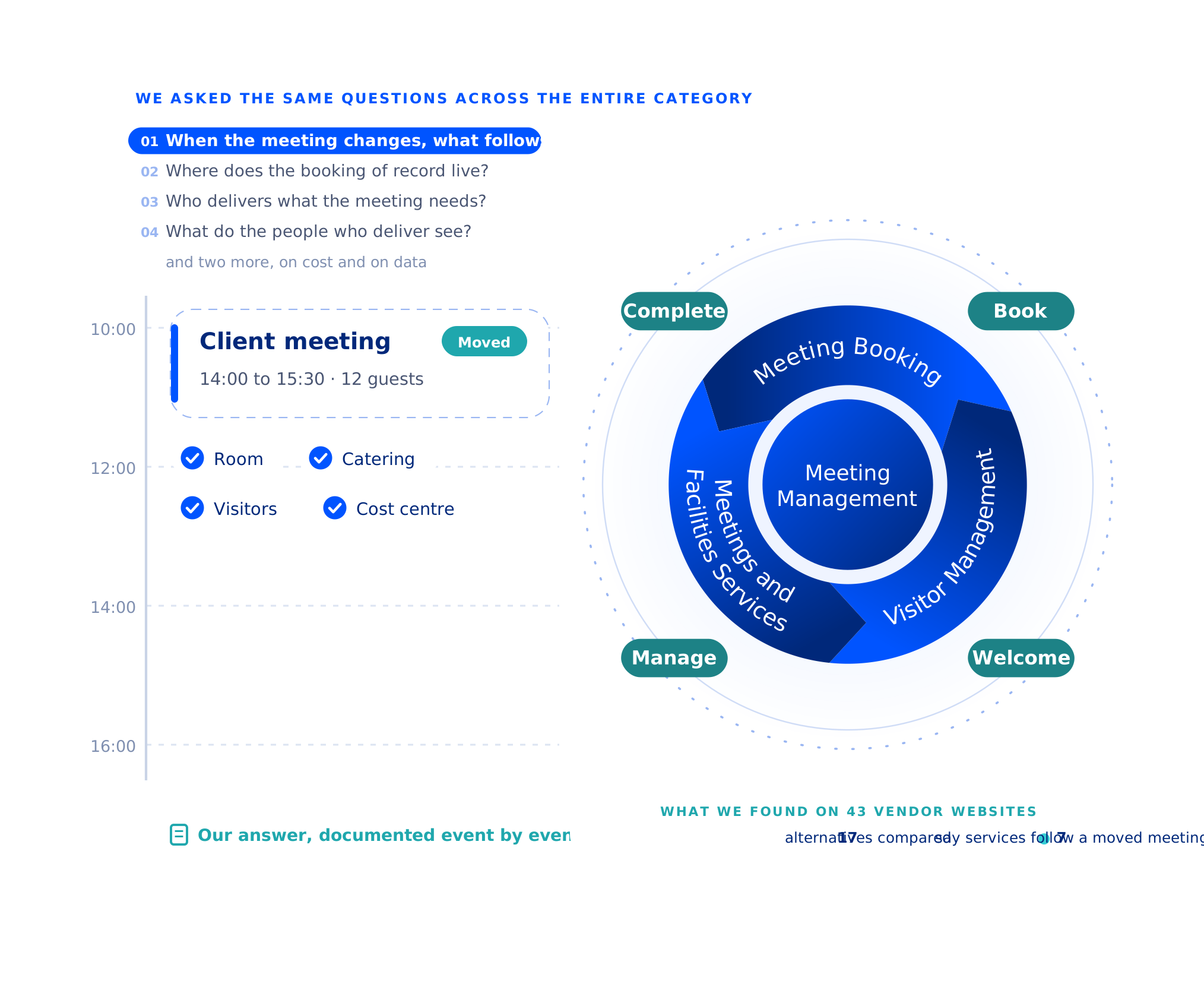
Almost every tool in this category books rooms from Outlook, orders catering and welcomes visitors. What separates them is the chain behind the meeting: where the booking lives, and what follows it when it moves.
We read the websites of 43 vendors and compared AskCody with 17 of them, on exactly that. Every cell is what each vendor publishes about itself, including the answers where we lose.
What are the alternatives to AskCody?
The ten alternatives that look most like AskCody are Add-On Products and Fischer & Kerrn, then YAROOMS, Korbyt, Eptura, MyDesk, GoBright, Accruent EMS, Smartway2 and Yoffix. That is the order they came out in when we read 43 vendor websites and compared what each one says it does and how it describes itself.
Seven more are rivals we meet in evaluations: Maptician, Sign In Workspace, Appspace, Microsoft Places, Robin, OfficeSpace and Envoy. All 17 are on this page.
On features, this category is crowded: almost everyone books rooms from Outlook, orders catering, registers visitors and runs room displays. What separates the tools is the chain behind the meeting management job: where the booking lives, what happens to everything attached to it when it changes, and who carries it through to the end. We wrote this page and we sell one of the products in it, so read it with that in mind.
Everyone wins their own comparison
We made this page, and we sell one of the products on it. So yes, we are biased. Everyone who publishes a comparison page is. The only thing worth doing about it is saying so out loud, rather than dressing the page up as neutral research and hoping you do not notice.
You are comparing meeting management tools, and you have probably noticed something: every vendor’s comparison page concludes that the vendor won. Ours could too. Hand any of us a blank matrix and we will choose the rows we are good at.
So we are not going to do that. It is a theatre, and none of us should be asking you to sit through it.
Here is what we actually think. Every tool in this category is genuinely good at something, or it would not still be here. Add-On Products, Fischer & Kerrn, MyDesk, Sign In Workspace, Eptura Engage, Accruent EMS, Maptician and Korbyt all have customers who were right to choose them. The useful question was never which of us wins a feature count. It is which of us is shaped for the outcome you need. And which of us you actually trust most on the one question underneath all of it: will our meetings start on time, every time?
That is a harder question, and it is the one worth your afternoon. So this page does have a feature table, because you will ask for it. We picked its rows too, so we made sure the ones where we lose are in it. But it is not the point. The point is the handful of structural choices every tool in this category has already made, that you cannot change after you buy, and that decide whether meetings actually work in your building.
Start from the outcome, not the feature list. A feature list tells you what a tool can do. It never tells you what will stop going wrong. Before you shortlist anyone, write down the three things that fail in your building today: the meeting that moved and the catering that did not, the guest who arrived to an empty reception desk, the room that shows busy and sits empty. Those are outcomes. Everything below is built to test one of them.
Compare us on those. The feature grid comes later, and what it mostly shows is how much everyone has in common.
We are not avoiding the feature list because we would lose it
Every module we sell sits on one page, with the capabilities under each, and all of it is included from the first license. Go and check it before you take our word for anything else here.
Same questions. Three different winners.
Here is the same comparison table, drawn by three different vendors in the same category. Nobody lied. Everybody won.
| A | B | C | |
| Easiest to use | ✓ | ✗ | ✗ |
| Best integration | ✓ | ✗ | ✗ |
| Most secure | ✓ | ✗ | ✗ |
| Best value | ✓ | ✗ | ✗ |
| A | B | C | |
| Easiest to use | ✗ | ✓ | ✗ |
| Best integration | ✗ | ✓ | ✗ |
| Most secure | ✗ | ✓ | ✗ |
| Best value | ✗ | ✓ | ✗ |
| A | B | C | |
| Easiest to use | ✗ | ✗ | ✓ |
| Best integration | ✗ | ✗ | ✓ |
| Most secure | ✗ | ✗ | ✓ |
| Best value | ✗ | ✗ | ✓ |
Illustration. Vendors A, B and C are invented, and so are the four criteria.
Four criteria. Three tables. Three different winners, and not a single false statement between them. That is what happens when the vendor picks the rows. We could have published the first one, put our name in column A, and called it research.
Which is why the two tables further down this page do not have a winner’s column. The first maps what each vendor says it does. The second sets out the structural choices each product has already made, the ones you cannot change after you sign, with every cell taken from the vendor’s own material. Read them and draw your own conclusion. Some of it does not go our way.
How we built this comparison
We wrote this, so read it the way you would read anything written by someone with a stake in the answer. Here is exactly how it was put together, so you can check it.
Who is in it. We started from a published list of 33 booking systems: Archie’s 30+ Best Meeting Room Booking Software: 2026 In-Depth Review, last updated on 20 July 2026. Archie sells booking software itself, and is one of the 33. The list left out ten of the vendors we actually meet in evaluations, so we added them: Sign In Workspace, Accruent EMS, Add-On Products, Fischer & Kerrn, Maptician, Korbyt, Appspace, MyDesk, GoBright and Microsoft Places. That makes 43.
What we read. Each vendor’s own website, read on 24 September 2026: the homepage, product and feature pages, integrations, pricing, and about or security pages. Nothing comes from review sites or analysts. For the table on where the booking lives and where the data sits, we also read each vendor’s help centre and trust pages: the eight we meet most often on 21 September 2026, the other nine on 29 September 2026.
How we scored it. Sixteen capabilities, not features, and that difference is the point. A feature is something a tool has. A capability is something it lets you do: keep the booking of record in Exchange, have catering and visitors follow a meeting when it moves, put the cost on the right cost centre. Feature lists in this category look much alike. Capabilities are where tools differ. Each one is scored from 0 to 3: 0 means we did not find it on the pages we read, 1 that it is mentioned, 2 that it is a real capability, 3 that it is deep or a flagship. A 0 is not a claim that something does not exist. It is a question worth asking that vendor. The table shows the ten whose capabilities and positioning are closest to ours, then the other rivals we meet in evaluations: Maptician, Sign In Workspace, Appspace, Microsoft Places, Robin, OfficeSpace and Envoy.
Where we are in it. Our own row is scored from our product and our documentation, not only from our website, which gives us an advantage the others do not have. It is the row to challenge hardest, and we score ourselves 0 where we should: we do not have a Teams app.
Vendors change. Certifications get added, hosting regions move, products get renamed. If something here is out of date, tell us and we will correct it.
Everyone has the features. Few have the chain.
Here is the feature table you were going to ask for, with one change: it scores capabilities, not features. It covers the ten vendors that look most like us, then the other rivals we meet in evaluations: 17 in all. Read it in two halves.
On the right are the table stakes. Outlook add-ins, visitors, room displays, maps, booking rules, reporting. 121 of the 153 cells for these 17 rivals are a real capability or better. If your shortlist is decided here, you will struggle to tell these tools apart, and so will we.
On the left is the core. Where the booking of record lives, what follows the meeting when it changes, who delivers the services, and where the cost lands. Here the table thins out. Most rivals match us on one or two of these, and two beat us on one. None of them matches the whole row.
| THE CORE: WHERE MEETINGS ARE WON OR LOST | TABLE STAKES: WHAT MOST OF THE MARKET DOES | |||||||||||||||
| Vendor, most alike first | Exchange is the booking of record | Follow the meeting | Meeting services | Facilities services | Service team console | Cost centres and settlement | On-premises Exchange | Outlook add-in | Teams app | Visitors | Room displays | Maps and floor plans | Booking rules | Reporting and utilisation | Workflow automation | AI assistant |
| AskCody | 3 | 3 | 3 | 3 | 3 | 3 | 2 | 3 | 0 | 3 | 2 | 3 | 3 | 3 | 2 | 2 |
| Add-On Products | 1 | 2 | 3 | 3 | 2 | 3 | 3 | 3 | 1 | 2 | 3 | 2 | 2 | 3 | 2 | 0 |
| Fischer & Kerrn | 1 | 0 | 3 | 1 | 3 | 3 | 1 | 3 | 2 | 2 | 3 | 2 | 2 | 3 | 2 | 1 |
| YAROOMS | 1 | 2 | 2 | 3 | 3 | 2 | 1 | 2 | 2 | 2 | 2 | 2 | 3 | 3 | 3 | 2 |
| Korbyt | 1 | 2 | 3 | 1 | 3 | 2 | 3 | 3 | 2 | 2 | 2 | 2 | 1 | 2 | 2 | 2 |
| Eptura | 1 | 2 | 2 | 3 | 3 | 0 | 1 | 2 | 2 | 3 | 2 | 2 | 2 | 3 | 2 | 2 |
| MyDesk | 3 | 1 | 2 | 0 | 3 | 2 | 1 | 2 | 2 | 2 | 2 | 2 | 1 | 3 | 2 | 1 |
| GoBright | 1 | 2 | 2 | 3 | 2 | 1 | 0 | 2 | 2 | 2 | 3 | 2 | 2 | 2 | 2 | 1 |
| Accruent EMS | 1 | 1 | 2 | 3 | 3 | 3 | 0 | 2 | 2 | 1 | 2 | 1 | 3 | 3 | 2 | 2 |
| Smartway2 | 1 | 1 | 2 | 2 | 0 | 0 | 0 | 3 | 1 | 2 | 3 | 0 | 2 | 2 | 2 | 0 |
| Yoffix | 1 | 0 | 1 | 3 | 1 | 2 | 0 | 2 | 3 | 2 | 2 | 2 | 3 | 3 | 2 | 1 |
| THE OTHER RIVALS WE MEET IN EVALUATIONS, MOST ALIKE FIRST | ||||||||||||||||
| Maptician | 1 | 1 | 2 | 3 | 2 | 2 | 0 | 1 | 1 | 2 | 2 | 3 | 3 | 2 | 2 | 0 |
| Sign In Workspace | 1 | 1 | 2 | 1 | 2 | 3 | 1 | 2 | 1 | 3 | 1 | 0 | 2 | 2 | 2 | 1 |
| Appspace | 1 | 0 | 1 | 2 | 3 | 0 | 1 | 2 | 2 | 3 | 2 | 2 | 3 | 2 | 3 | 2 |
| Microsoft Places (platform) | 3 | 0 | 1 | 1 | 1 | 0 | 0 | 3 | 3 | 0 | 1 | 2 | 2 | 2 | 2 | 3 |
| Robin | 1 | 2 | 1 | 3 | 2 | 0 | 0 | 1 | 2 | 2 | 1 | 2 | 2 | 3 | 2 | 1 |
| OfficeSpace | 0 | 0 | 0 | 3 | 2 | 2 | 0 | 1 | 1 | 2 | 1 | 2 | 2 | 2 | 3 | 3 |
| Envoy | 0 | 0 | 1 | 2 | 1 | 0 | 0 | 1 | 1 | 3 | 2 | 2 | 1 | 2 | 3 | 1 |
Two cells in our own row deserve a word. We score 0 on a Teams app because we do not have one: Teams meetings work fully because they live in Exchange, but there is no app to install. And two rivals score higher than us on on-premises Exchange. We connect to it, but it is not where we lead.
Six questions worth asking every vendor, including us
The table above splits the market in two. The table stakes are covered by almost everyone. The core is where the tools part ways, and each question below tests one piece of it. Put the same six to every vendor on your shortlist, including us.
For the 17 we compared, the answers are on this page. Questions 1, 3, 4 and 5 are scored in the core of the heatmap. Question 1 gets its own section below, event by event. Questions 2 and 6 are answered in each vendor’s own words, in the table after it.
A meeting moves at four in the afternoon. The catering was ordered for the old time, in the old room. Does the order move, does someone get told, or does a person have to remember? Ask for the answer event by event: rescheduled, moved to another room, cancelled, changed after the preparation deadline.
Where we stand: The room, services, visitors and cost centre follow the meeting. We publish what happens per event, limits included, and summarise it in the next section.
Either the meeting lives in Microsoft Exchange and everything reads from it, or the tool keeps a database of its own in step with Exchange. Both can work. The second has a reconciliation job, and someone owns it when the two disagree.
Where we stand: The booking of record is the Exchange meeting itself, in the room and workspace mailboxes you already own, on Exchange Online or on-premises Exchange. Of 43 vendors, two others say they keep no copy of your calendar: MyDesk and Microsoft Places.
Catering, AV, room setup and cleaning all hang off a meeting. Ask whether they are ordered on the meeting itself, or in a separate tool that someone has to keep in line with it.
Where we stand: Meeting and facilities services, from catering and AV to cleaning, are ordered from Outlook on the same meeting as the room and the guests.
Reception, the kitchen and facilities do the work after the booking. Ask what their screen shows at eight in the morning, and what changes on it when a meeting moves at noon.
Where we stand: Workplace Central puts the day’s meetings, rooms, orders and changes in one calendar-like view for the teams who deliver. Seven of the 43 vendors show a service console of their own.
Every order has a cost, and someone in finance has to put it somewhere. Ask whether cost centres sit on the order itself, and whether settlement is a process the system runs or a spreadsheet someone builds.
Where we stand: Cost centres and settlement on every order, with services and costs reported alongside rooms in Insights, built on Microsoft Power BI. Of the 43 vendors, four others show full settlement.
Not how many certification logos are on the page. Which country the data is in, what the transfer mechanism is if it leaves, and whether the certification scope names the product you are buying rather than the company that owns it. Ask for the scope statement rather than the badge.
Where we stand: Hosted on Microsoft Azure in North and West Europe for EU customers, with an ISAE 3000 Type 2 report you can request and read. We do not hold ISO 27001 or SOC 2, and we would rather you hear that from us.
What happens to the catering when the meeting moves
This is the question we care most about, and the one where answers are hardest to find. Nearly every tool on this page sells catering or service ordering, and all of them explain how to place an order. What happens to that order when the meeting is rescheduled, moved to another room or cancelled is a different matter.
Across the 43 vendor websites we read, seven say services move or update with the meeting, and seven more say the provider is notified. None publishes what happens event by event. We do, and the honest version has limits attached:
Two more limits, from the same documentation. Moving a catered meeting in Outlook does not carry its buffer time with it. And features in early access may not have the follow-the-meeting logic yet. If either matters to you, ask us to show it.
Here is what the others say about the same question, quoted from their own pages:
This is not a claim that anyone else cannot do it. Silence is not a shortcoming, and a one-line answer may hide a very good product. It means the per-event answer is a question for each of them, and it is worth asking. Ask us the same thing, and hold us to the limits above.
Where the booking lives and where the data sits
The heatmap puts a score on most of the six questions. Two of them need words rather than a number: where the booking of record lives, and where the data sits and under what audit. So here are all 17 answers.
These are not our claims about anyone. Every cell is what we found in that vendor’s own documentation: its website, help centre and trust pages. The wording is ours, the facts are theirs. If you work for one of these vendors and something here is wrong or out of date, write to us and we will update it straight away.
Read the first column as a design choice, not a verdict. A tool with its own database synced to Exchange can work very well. It also has a reconciliation job, and someone owns it. Read the last column for scope: a badge that belongs to a hosting provider or a parent company is not an audit of the product you are buying. And yes, ours is the row without ISO 27001 or SOC 2.
| Vendor, most alike first | What holds the booking | Where they say it is hosted | Certification or audit they cite |
| AskCody | The Exchange meeting itself. No second record. | Azure, North and West Europe for EU customers | ISAE 3000 Type 2, audited annually |
| Add-On Products | Its own SQL databases, synced to Exchange | Azure | Named for their datacentres |
| Fischer & Kerrn | Its own storage. Can run without Exchange. | Azure, Netherlands and Ireland | Microsoft Azure’s, per their compliance board |
| YAROOMS | Its own platform, two-way sync with Outlook | Azure: US, Netherlands and Canada | ISO 27001, ISO 27701 and SOC 2 Type 2 |
| Korbyt | Its own SQL database, synced | AWS in the US, or Azure, per their pages | SOC 2 Type II |
| Eptura | Engage meeting spaces, synced with Exchange calendars | Azure US, UK and Australia | ISO 27001, listed at organisation level |
| MyDesk | The Exchange calendar itself. No copy stored. | Azure, EU and EEA only | ISAE 3402 Type 2 |
| GoBright | Its own portal, two-way sync with Outlook | Azure, EU or UK, the customer’s choice | ISO 27001 |
| Accruent EMS | Its own SQL database, two-way sync | Azure US, UK and Australia | ISO 27001, SOC 1 and SOC 2, at Accruent level |
| Smartway2 | Its own platform, two-way sync with Outlook, per their blog | AWS, described as local hosting | ISO 27001 and ISO 27701 |
| Yoffix | Its own platform, two-way sync with Outlook | Germany | ISO 27001 |
| THE OTHER RIVALS WE MEET IN EVALUATIONS, MOST ALIKE FIRST | |||
| Maptician | Its own store, synced with Outlook | United States | SOC 2 and ISO, as they state it |
| Sign In Workspace | Its own SQL database, synced to Exchange | AWS | ISO 27001 and SOC 2 Type II |
| Appspace | Its own platform, synced with Microsoft 365 | Google Cloud, regional data clusters | ISO 27001, ISO 27017 and SOC 3 |
| Microsoft Places (platform) | Exchange room mailboxes, the scheduling engine | Your Microsoft 365 tenant’s geography | Microsoft 365’s, at platform level |
| Robin | Microsoft 365 room calendars, edits sync both ways | AWS, US or Europe | SOC 2 and ISO 27001 |
| OfficeSpace | Linked to Microsoft 365 room calendars | Google Cloud. US by default, EU optional | SOC 2 Type 2. ISO 27001 at hosting provider level |
| Envoy | Microsoft 365 room calendars, via a service account | AWS, US. EU option for Visitors | SOC 2 Type II |
The fastest way to answer question one? Ask us.
Now watch what happens without anyone touching anything.
We will run exactly that on a call, live. Ask every vendor on your shortlist to do the same, and compare what you see rather than what you are told.
All 17 alternatives, one by one
Open any vendor for who they are, what they lead with in their own words, and when they are a better choice than us. The order follows the table above.
Who they are. Vejle, Denmark, founded 2000, and part of Aries Global. The product is Resource Central.
What they lead with. They describe themselves as 100% Microsoft-native, with rooms, catering and services, visitors, signage and workplace analytics in one suite. Their catering page states automated handling of changes and cancellations for service providers, in sync with Outlook.
When they are the better choice. When the system has to run on your own servers or in your own cloud. They are the most deployment-flexible vendor here: on-site, your own cloud, or theirs.
Who they are. Copenhagen, working in room booking since 1999, with offices in London and New York. The product is Concierge Booking 365.
What they lead with. Room booking tailored, in their words, for larger companies with complex requirements. Their platform is designed to run as a fully independent system with no required dependency on Exchange, hosted on Azure with customer data in the Netherlands and Ireland.
When they are the better choice. When you want booking that does not depend on Exchange, or you run Google Workspace, which they publish support for. They are also more open than most about compliance, and say plainly which audit reports they do and do not obtain.
Who they are. Cluj-Napoca, Romania, founded 2011, with an office in Miami.
What they lead with. A “Complete Workplace Management Platform” for desks, meeting rooms, visitors and analytics, with the Yarvis AI agent in Teams and email. Their services page states that changes to a room booking carry through to its services, on the Enterprise tier.
When they are the better choice. When you want desks and rooms in one tool, an AI agent inside Teams and flat published prices per organisation. They state ISO 27001, ISO 27701 and SOC 2 Type 2, and offer on-premises deployment on the Enterprise tier.
Who they are. RMG Enterprise Solutions, trading as Korbyt, in Addison, Texas, with a UK office in Luton.
What they lead with. An all-in-one digital signage and workplace experience platform. Their booking product is Korbyt Booking, formerly Rendezvous, which can run on-premises on Windows and SQL Server.
When they are the better choice. When digital signage is part of what you are buying: it is their core, and it is strong. For law firms, Korbyt Booking names client-matter sync with 3E, Aderant, Emburse and SurePoint, and a chargeback system with a vendor portal.
Who they are. Eptura was formed in 2022 from Condeco, iOFFICE and SpaceIQ, and is headquartered in Atlanta. Their own page puts it plainly: the solution you know as Condeco is now Eptura Engage.
What they lead with. Engage is one product in a portfolio that also covers facilities, assets, portfolio management and a full IWMS, and Eptura states that it powers 50% of the Fortune 500. Their room booking FAQ states that catering and AV move with the booking when a meeting changes.
When they are the better choice. When room booking has to live in the same platform as lease administration and asset management. That breadth is the reason to choose them over us.
Who they are. Taastrup, Denmark, founded 2019, stating more than 150 companies as customers.
What they lead with. The same architectural claim we make: MyDesk reads calendar data directly from Microsoft and does not store copies of meetings. Their Danish site focuses on the Danish market, their English site on Europe.
When they are the better choice. They beat us on two things. They publish a full per-module rate card with minimums, where we publish an entry price and quote the rest. And they state Azure hosting exclusively in the EU and EEA, with an annual ISAE 3402 Type 2 audit. When desks lead your project, or you want list prices up front, talk to them.
Who they are. Alblasserdam, the Netherlands, founded in 2016 and founder-led.
What they lead with. “Smart Workplace” room and desk booking with their own hardware: room panels with occupancy sensors and in-room signage. They position themselves as an add-on to Microsoft Places, priced per asset, and their room booking page states that booked catering and services move when a meeting moves.
When they are the better choice. When you want booking, sensors and hardware from one vendor. They also offer a Teams app with an AI booking assistant, and state ISO 27001.
Who they are. Accruent is an operating company of Fortive, headquartered in Austin. EMS is their meeting and workspace scheduling product, sold for corporate and higher education.
What they lead with. Scheduling depth: classroom and exam scheduling, student information system integration, and bookable resources down to parking spaces, lab equipment and pool lanes. Their billing is the deepest here, with invoices, rate schedules and departmental batches.
When they are the better choice. When you are a university. This is a serious answer and we are not. EMS can also be self-hosted on Windows Server and SQL Server, and ISO 27001, SOC 1 and SOC 2 are claimed at Accruent level.
Who they are. London, and part of HubStar.
What they lead with. “Workplace booking that makes hybrid work effortless”, built Outlook add-in first on Microsoft’s current Office add-ins platform, with their own LED door panels. Service providers are notified of new orders, changes and cancellations.
When they are the better choice. When you want an Outlook-first tool with your own door panels and a rules engine with approvals. They state ISO 27001 and name customers in pharma and the NHS.
Who they are. Germany, from hybridOffice21 GmbH.
What they lead with. “Run your entire hybrid office from Microsoft Teams”. Deep booking rules and permissions, facility tickets pinned to the floor plan, cost centres on room bookings, and E-Ink room displays.
When they are the better choice. When your people live in Teams and you want them booking inside a Teams app. They state ISO 27001 and hosting in Germany, and publish prices from EUR 1.50 per user.
Who they are. Lincoln, Nebraska.
What they lead with. “One Platform for the Entire Workplace”: space planning, seat booking, presence visibility and workplace analytics. Their customer logos lean towards US law firms, and their Premium tier adds service requests and notification workflow.
When they are the better choice. When floor plans, seating and space planning lead the project. They show a SOC 2 badge on their site.
Who they are. Part of Sign In Solutions, headquartered in St. Petersburg, Florida, and backed by PSG.
What they lead with. Meetings, rooms, equipment, invitations, catering and billing in one system, “from booking to arrival and beyond”, inside Sign In Solutions’ visitor management and workplace security platform. When a meeting changes, they describe notifying the provider.
When they are the better choice. When the lobby leads the project: visitor security, compliance and evacuations at scale. Their Trust Center names Workspace Meetings inside the SOC 2 report scope, the most specific audit-scope statement published by anyone on this page, including us.
Who they are. Dallas, Texas, backed by Accel-KKR and LLR Partners.
What they lead with. “Your whole workplace, connected”: intranet, digital signage, space reservation and visitor management on one platform, positioned as the physical layer on top of Microsoft Places.
When they are the better choice. When you are buying an intranet and digital signage, and want booking in the same platform. They state ISO 27001 and ISO 27017 and a SOC 3 report.
Who they are. Microsoft’s own workplace app, built into Teams and Outlook.
What they lead with. “An AI-powered workplace app that supports flexible work”, with room and desk booking, occupancy insights, and Copilot that can rebook rooms when meetings change. It uses the Exchange room mailboxes you already have.
When they are the better choice. When your meetings are mostly internal and booking inside the Microsoft tools you already license is enough. Core features come with most Microsoft 365 plans; some, such as desk booking, moved to per-space licensing in April 2026. There is more in the Microsoft Places section below.
Who they are. Boston, founded 2014, and venture-backed.
What they lead with. “Most workplace tools create busywork. Robin eliminates it.” Booking, operations and space planning in one platform, with floor plan editing and CAD import. Their help centre states that an event’s time or location can change without cancelling its service request.
When they are the better choice. When you want space planning built into the booking tool. Their pricing page describes a fit of 150 or more hybrid employees, typically 500 or more, and they state SOC 2 and ISO certification.
Who they are. Founded 2006, with offices in the US, Canada and Costa Rica, and backed by Vista Equity Partners.
What they lead with. “The #1 agentic platform for facilities and workplace leaders”: space planning, block and stack, scenario planning, and asset and maintenance management, with named AI agents.
When they are the better choice. When the job is space and portfolio planning, with booking as one part of it. That is a different and bigger job than ours, and they do it. They state that they maintain a SOC 2 audit report.
Who they are. San Francisco, and venture-backed.
What they lead with. “We protect the workplaces the world relies on most”: visitor, workplace and critical event management, with access control and Wi-Fi integration.
When they are the better choice. When security and compliance at the front door come first, including emergency mustering. They publish prices per product and state SOC 2 Type II.
Where AskCody is not the right choice
A comparison page written by a vendor is worth very little if every row happens to end with that vendor winning. So here are the seven situations where we would tell you to go and talk to someone else, and who to talk to.
You need it on your own servers
AskCody runs in our cloud, with no on-premises option and no plan for one. We connect to on-premises Exchange, but if the system itself has to run on your servers, we are not your vendor, and no amount of conversation will change that.
You need one system for meetings and for buildings
If room booking has to live in the same platform as asset management, maintenance, lease administration or portfolio planning, that is a different product category. We are deliberately narrower.
You need academic timetabling
Classrooms, exams and student information system integration are a discipline of their own. We do not do it at all, and we are not going to pretend otherwise.
You need wayfinding or signage as a product
We do meeting room displays and meeting dashboards. We do not do building wayfinding, and we do not sell a signage content management system.
Your problem does not start with a meeting
Everything we do hangs off a meeting in the Exchange calendar: the room, the visitor, the catering, the report. If the job in front of you is desks on a floor plan, or a lobby handling walk-ins with no calendar entry behind them, you would be buying a meeting platform to do something it was not shaped for.
You are outside Microsoft 365
Almost everything good about how we work comes from being built on Exchange. If your organisation runs on Google Workspace, that advantage becomes a disadvantage.
You want a dedicated Teams app
We do not have one. Every booking works with Teams meetings because it lives in Exchange, but if you want people booking rooms and desks inside an app in Teams, others have built exactly that.
Do you still need this if you have Microsoft Places?
It is the right question to ask, and it deserves a straight answer rather than a defensive one.
Microsoft keeps making the native layer better, and it should. We build on that layer rather than around it. Places keeps no copy of your calendar either, and it books rooms and desks well, with Copilot on top. So the honest test is not whether Microsoft can book a room. It is what is still broken after Microsoft has done everything Microsoft does well.
The meeting still has to happen in a physical room, with the right setup, the right access for the guest at reception, and the catering that was ordered for eighteen people arriving in the right place at the right time. When the meeting moves, all of that has to move with it. That coordination across reception, facilities, the kitchen and external vendors is not a scheduling problem, and it is not the problem Microsoft is solving. On Microsoft’s own pages, catering, AV and visitor services come through links and partner apps rather than inside Places.
If your meetings are two people and a Teams link, you probably do not need us. If your meetings involve a guest signing in, a room being set up and food arriving, the gap between what the calendar promises and what actually happens is the thing we exist to close.
Frequently asked questions
Short answers to the questions buyers actually put to us on a first call.
The ten alternatives closest to AskCody, from 43 vendor websites we compared, are Add-On Products, Fischer & Kerrn, YAROOMS, Korbyt, Eptura, MyDesk, GoBright, Accruent EMS, Smartway2 and Yoffix. We also meet Maptician, Sign In Workspace, Appspace, Microsoft Places, Robin, OfficeSpace and Envoy in evaluations. Which one fits depends on whether you are solving a meeting problem or a building problem.
Most tools in this category share the same features: Outlook booking, catering, visitors and room displays. AskCody’s difference is the chain behind the meeting. The Exchange meeting itself is the booking of record, and the room, services, visitors and cost centre follow it when it moves or is cancelled. That is what meeting management means to us, rather than room booking alone.
No. The booking of record is the Microsoft Exchange meeting itself, not a copy of it. AskCody reads and writes to that object through Microsoft Graph, so there is no second calendar to keep in step and nothing to reconcile when two systems disagree.
In AskCody, a reschedule updates the order and a cancellation cancels it, with both the organiser and the service provider notified. If the meeting moves to a room that provider does not serve, the order is cancelled. Past the provider’s preparation deadline, the request is detached rather than updated. Changing the contents of an order is a manual step, and moving a catered meeting does not carry its buffer time with it.
No. AskCody is built into Outlook and Exchange, so every Microsoft Teams meeting gets the right room, services and visitor setup, with no extra app to deploy. If you want people to book inside a dedicated Teams app, that is a reason to look at other vendors.
Yes. AskCody itself runs in our cloud on Microsoft Azure, and it connects to Exchange Online through Microsoft Graph and to on-premises Exchange through Exchange Web Services. What we do not offer is an on-premises installation of AskCody.
Not with AskCody. Our published pricing states that all features are included from the very first license, across Bookings, Maps, Visitors, Displays, Services and Analytics. You scale by adding rooms, workspaces and receptions rather than by unlocking features, so the conversation can be about outcomes instead of tick boxes.
On Microsoft Azure in the EU. AskCody holds an ISAE 3000 Type 2 report, and you can request it and read the scope yourself. Certification scope matters more than the badge, so it is worth checking whether a report names the product you are buying rather than the company or its datacentres.
AskCody has been part of Volaris Group, inside Constellation Software, since 1 October 2025. It is worth asking every vendor on your shortlist who owns them, and what changed afterwards.
Compare the core, not the feature list: where the booking of record lives, what follows the meeting when it changes, who delivers the services, what the people who deliver see, where the cost lands, and where the data sits. Our Buyer’s Guide turns those into questions you can put to any vendor.
When you need the system on your own servers, when you want one platform for meetings and for buildings, when you need academic or exam timetabling, when wayfinding and digital signage are the product you are buying, when your problem does not start with a meeting, when you want a full published rate card, when you are not on Microsoft 365, or when you want a dedicated Teams app.