Skip to content

Outlook books the room. AskCody manages the meeting.

Outlook and Microsoft 365 book the room. Meeting management is everything around it: the catering, the room setup, the guests at reception and every change. Add AskCody, and the whole meeting is planned in one Outlook invite. Together, they are the complete meeting management platform for Microsoft 365.

Room booking vs meeting management

Is Outlook enough for meeting management?

Outlook is enough for room booking. It is not meeting management. Outlook and Microsoft Exchange find a time when your attendees are free and a room that is free, and book it. That is the foundation, and it works well.

Meeting management is everything that has to happen for that meeting to work: the room that fits the meeting, the coffee and lunch, the room setup and AV, the guests at reception, and what happens when the meeting moves or is canceled. Outlook leaves all of that to emails, spreadsheets and phone calls. AskCody adds it to Outlook, so the whole meeting is planned in one invite and every team behind it sees the same meeting.
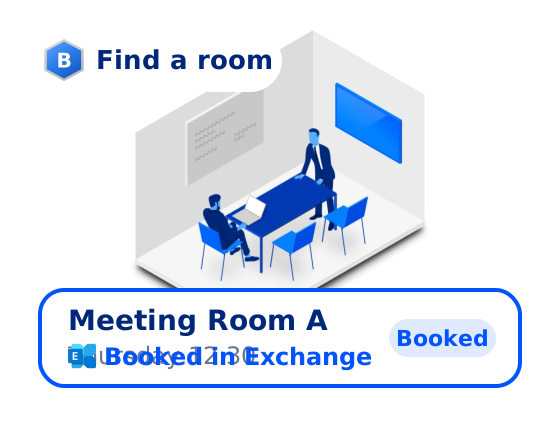
Bookings add-in: Meeting Room A is found in Outlook and booked in Microsoft Exchange
The right room, not just a free one

Search rooms by location, purpose, equipment and the number of attendees on your invite, and add buffer time before and after for setup.
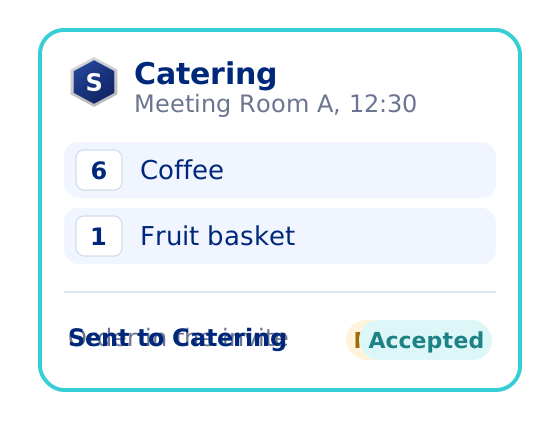
Services add-in: coffee and a fruit basket ordered in the invite and accepted by Catering
Catering and setups with the meeting

Order coffee, lunch, room setups and AV from the invite. The team that delivers gets the room, the time and the host with the order.
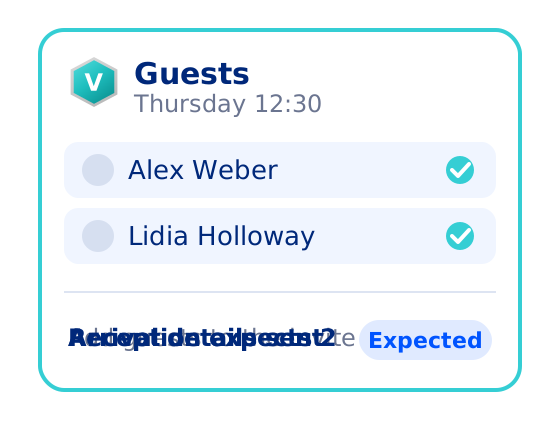
Visitors add-in: two guests added to the invite, expected by reception and sent arrival details
Guests expected at reception

Pre-register guests from the invite, so reception knows who is coming and the guests get their arrival details.
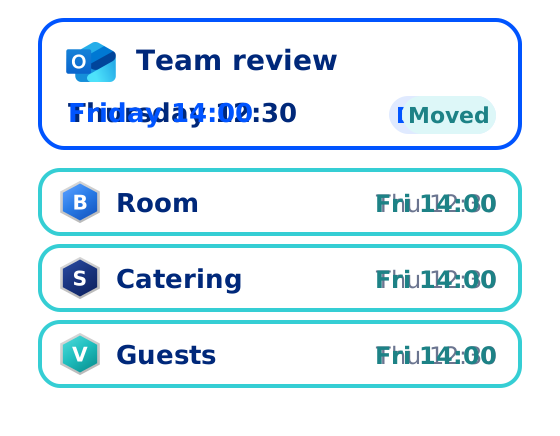
Follow-the-Meeting Intelligence: the invite moves to Friday and the room, catering and guests follow
Every change followed

Move or cancel the meeting in Outlook, and the room, the order and the guest list follow it. Nobody sends a follow-up email.
Side by side

Outlook alone, or Outlook with AskCody?

ComparedOutlook aloneOutlook with AskCody
A time when attendees are freeYes, with the Scheduling AssistantYes, the same Outlook you use today
A free room for the meetingYes, from room lists in ExchangeRooms that fit: location, purpose, equipment and attendee count, booked in Exchange
Time to prepare the roomAdded by hand, by making the meeting longerBuffer time before and after, reserved with the booking
Catering, room setup and AVAn email to each teamOrdered in the invite and accepted by the team in AskCody
Guests at receptionA guest list sent to receptionPre-registered in the invite, with arrival details sent to the guests
When the meeting moves or is canceledThe room booking changes; the rest is follow-up emailsThe room, the order and the guests follow, or are released
What it isRoom bookingMeeting management

Want the whole category explained? Read what meeting management software is and how it differs from meeting room booking.

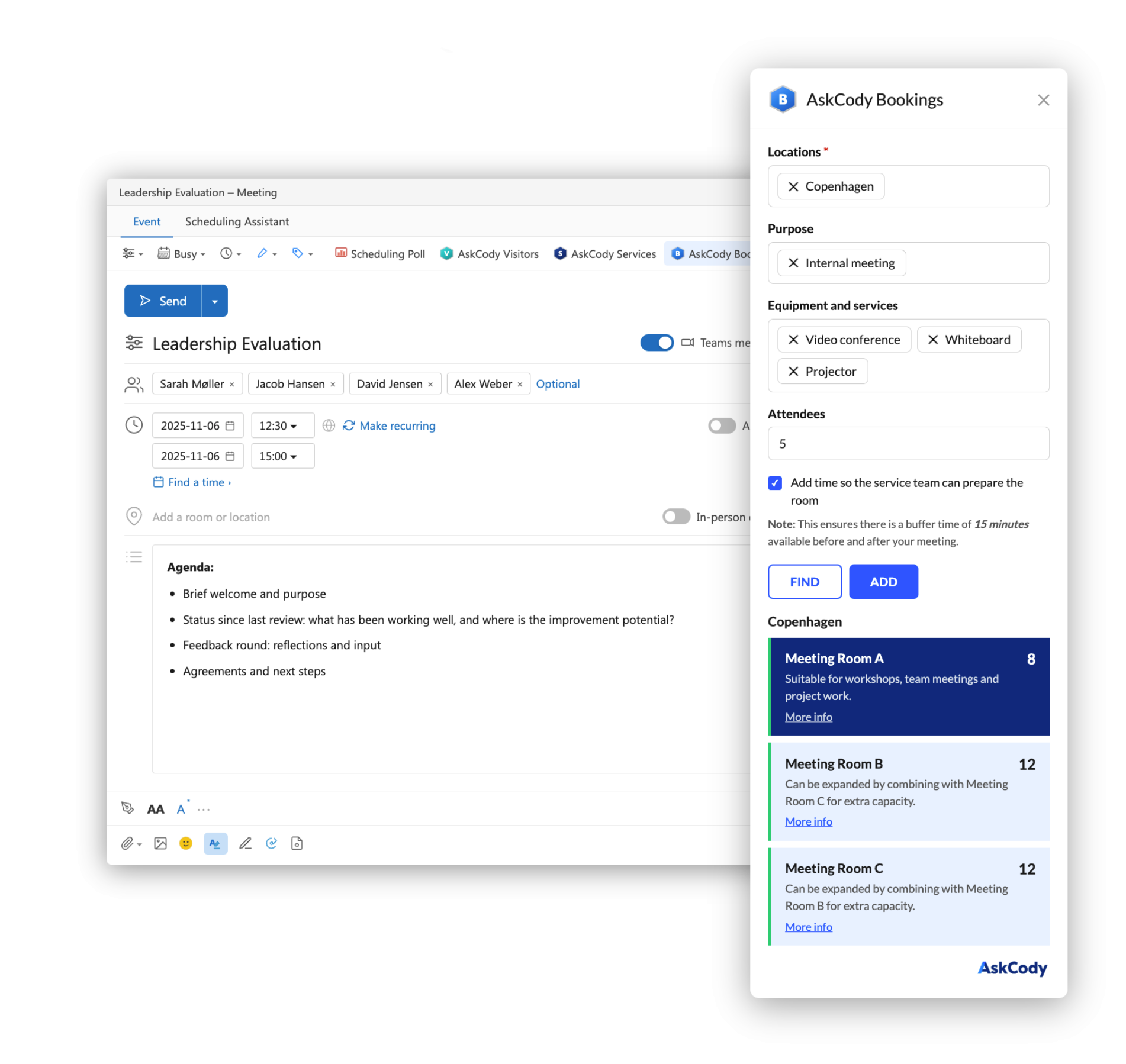
An Outlook meeting called Leadership Evaluation with the AskCody Bookings add-in open beside it. The location Copenhagen, the purpose Internal meeting, the equipment Video conference, Whiteboard and Projector and 5 attendees are selected, and the add-in lists Meeting Room A, B and C.
In Outlook

Plan the whole meeting in one Outlook invite

Every meeting starts as an Outlook invite, and with AskCody it stays there. The AskCody add-ins sit in the Outlook toolbar your people already use: Bookings for the room, Services for catering, room setups and AV, and Visitors for the guests.

Book the room, send the invite, then add the order and the guest list to the same meeting. The kitchen, facilities and reception each get what they need in their own AskCody view, with the room, the time and the host attached. Nobody retypes a meeting from an email.

See the AskCody add-ins for Outlook

Native to Exchange

One meeting, one record, in Microsoft Exchange

AskCody does not keep a second calendar. Rooms and desks are resource mailboxes in Microsoft Exchange, and the booking in Exchange is the booking. That makes Exchange the single source of truth for every meeting, so the calendar matches what is really happening in your rooms.

It is also why you send the invite before you order catering or register guests. Pressing Send books the room in Exchange, under the booking policies your organization uses. AskCody has to know the meeting exists before it can follow it. A tool that lets you order first has to store the meeting in its own database and sync it later, and that second record is what causes double bookings and orphaned bookings.

How AskCody works with Microsoft 365

A meeting booked in Outlook is saved in the Exchange room mailbox, and the room display and Workplace Central show the same booking when it moves to 13:00
Follow-the-Meeting Intelligence

What happens when the meeting moves?

In Outlook alone, a moved meeting moves the room booking. Everything else is a chain of follow-up emails: a new delivery time for the kitchen, a new arrival time for reception, a canceled order nobody remembered to cancel.

In AskCody, the meeting is the anchor. Move it to Friday in Outlook, and the room booking, the delivery time and the guests' arrival details follow. Cancel it, and the room is released, the order is canceled and reception is no longer expecting anyone.

Follow-the-Meeting Intelligence. An Outlook invite called Leadership Evaluation holds Meeting Room A, an order of coffee, fruit and water from Catering, and two guests, Alex Weber and Lidia Holloway. On Thursday at 12:30 the room is booked in Microsoft Exchange, Catering has accepted the order and reception expects the two guests. The organizer moves the meeting to Friday at 14:00 in Outlook, and the room booking, the catering delivery and the guests' arrival details all move with it, with no emails to the kitchen or reception. Then the organizer cancels the meeting, and the room is released for others, the catering order is canceled and reception cancels the visit.

Who gains

Every team behind the meeting sees the same meeting

Organizers and employees

One invite instead of four emails. The room fits, the coffee arrives, the guests are expected, and a change is made once, in Outlook.

Catering and facilities

Orders and setup requests arrive with the room, the time and the host attached, and they move or cancel with the meeting. No more delivering lunch to a meeting that moved yesterday.

Reception

The guest list arrives before the guests do. Reception knows who is coming, for which meeting and which host to notify.

IT and finance

Nothing new to learn outside Outlook, no second calendar to keep in sync, and rooms and bookings stay in Microsoft Exchange. Services can be charged to cost centers with the order.

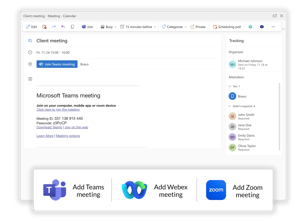
An Outlook meeting with a Microsoft Teams meeting link in the invite, and options to add a Teams, Webex or Zoom meeting.
Microsoft Teams

Teams meetings, with the room and services attached

AskCody is built into Outlook and Exchange, so every Microsoft Teams meeting gets the right room, services and visitor setup, with no extra app to deploy. Add the Teams link to the invite as you always do, then book the room, the catering and the guests in the same invite.

Because it is one invite, the Teams link, the room and the services stay together, and they move together when the meeting moves.

How AskCody works with Microsoft Teams

Luke Schnoebelen, Director of Professional Development
Luke SchnoebelenDirector of Professional Development

It put our old system to shame

“The flexibility of AskCody and the direct integration to Outlook put our old system to shame, and we now have a much better opportunity to connect lawyers across multiple locations... All employees can do it themselves, so our efficiency has improved.”

Kali McBride, Project Manager
Kali McBrideProject Manager

Easy to bring on board

“I would describe AskCody as basically a ‘one-stop shop’. It’s all integrated within Outlook for the end user, which is very easy to use... It’s very easy to bring on board. The training was simple, so it was not extensive for the end user to learn and adapt.”

Luke Schnoebelen, Director of Professional Development
Luke SchnoebelenDirector of Professional Development

The power back in the hands of the user

“AskCody simplifies the booking process. It gave the power back to the user rather than a ‘wait and see scenario’... AskCody gave us visibility into all the available resources, and that’s great. That was at the core of what we needed.”

Henry Chace, CIO
Henry ChaceCIO

Try it, and the time savings speak for themselves

“The pilot helped us understand just how much time we could give back to the attorneys and assistants and the price of that time... My best advice is to try it. You will see quickly that the ease of use, ease of management, and overall time savings are worth it.”

Nané Pr’Out, Director of Information Technology
Nané Pr’OutDirector of Information Technology

Live on time, in fact early

“We had to get it implemented by a certain date and we were able to meet that date without going over. In fact, we finished early! So that allowed me to breathe easy that month when we went live.”

Steven Schnee, Assistant Director of IT
Steven SchneeAssistant Director of IT

No infrastructure for IT to run

“Another important feature was cloud-based. It’s very advantageous for us to have that in the cloud, where we’re not responsible for the infrastructure, for doing the updates.”

Common questions about
Outlook and meeting management

Is Outlook a meeting management tool?

Outlook is a calendar and room booking tool. With Microsoft Exchange it finds a time when attendees are free and a room that is free, and books it. Meeting management covers everything around that booking: the right room, catering and room setups, visitors, rules and what happens when the meeting changes. AskCody adds meeting management to Outlook, so it all happens in the same invite.

What is the difference between room booking and meeting management?

Room booking answers where: finding and reserving an available room. Meeting management makes the meeting work, from the booking to the moment the room is free again: services, guests, setup, rules and every change. Booking is the foundation of meeting management, not an alternative to it. Read more in What is meeting management software?

Do we need meeting management if we do not order catering or host visitors?

Often, yes. If some rooms are restricted, if room requests need approval or confirmation, or if you need to see how your rooms and meetings are really used, you have moved past simple room booking. Some large organizations use AskCody for those rules alone.

Does AskCody replace Outlook?

No. AskCody works inside Outlook. People keep booking meetings the way they do today, and the AskCody add-ins add the room search, the services and the visitors to the same invite. Rooms stay resource mailboxes in Microsoft Exchange.

Does AskCody work with Microsoft Teams meetings?

Yes. AskCody is built into Outlook and Exchange, so every Microsoft Teams meeting gets the right room, services and visitor setup, with no extra app to deploy. The Teams link sits in the same invite as the room and the services.

What happens to the catering order and the guests when a meeting moves or is canceled?

They follow the meeting. This is Follow-the-Meeting Intelligence. When you move a meeting in Outlook, the room booking, the catering order and the visitors' arrival details move with it. Cancel the meeting, and the room is released and the order and the visit are canceled. On on-premises Exchange Server, this needs TLS 1.2 enabled on the Exchange servers.

Why must the invite be sent before services or visitors are added?

Because AskCody is native to Microsoft Exchange. Pressing Send is what books the room in Exchange, under the booking policies your organization uses. AskCody has to know the meeting exists before it can follow every change to it. A tool that lets you order before the invite is sent has to keep the meeting in its own database and sync it later, and that second record is what causes double bookings and orphaned bookings.

Which versions of Outlook does AskCody work with?

The AskCody add-ins work with Microsoft 365, Outlook on the web, and Outlook 2019 and 2021 for Windows and Mac. Outlook 2016 has limited functionality for delegated access. See AskCody Help Center: Integration with Microsoft Outlook.

Can the meeting data be exported, and can services be charged to cost centers?

Yes. The Services add-in can ask for billing details, such as a cost center, with the order. AskCody Insights shows how rooms and services are booked, and the data can be exported for accounting and reporting.

Turn Outlook into meeting management

Talk to a consultant about the meetings in your organization, and see how the room, the services and the guests come together in one Outlook invite.